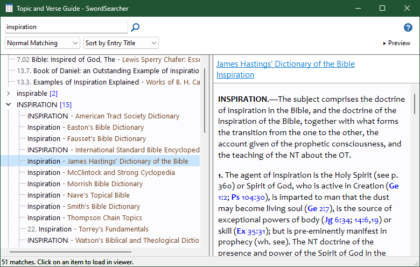
The main new feature is something I’ve been thinking about for close to twenty years: natural language Bible search.
Take this example: what if you want to find verses that talk about morning thoughts? How do you make a keyword search for that? You really can’t.
And how does someone who is new to the Bible find verses with keywords that they don’t yet know exist? They can’t.
This can be solved with semantic searching and indexing techniques that came out of information search and retrieval, and web search research.
So now in SwordSearcher, you can use the Find Verses About search feature to look up “morning thoughts” to find Psalm 5:3:
My voice shalt thou hear in the morning, O LORD; in the morning will I direct my prayer unto thee, and will look up.
And Psalm 143:8
Cause me to hear thy lovingkindness in the morning; for in thee do I trust: cause me to know the way wherein I should walk; for I lift up my soul unto thee.
So instead of constructing keyword searches, you can just describe what you’re looking for in plain language. SwordSearcher finds the verses that are semantically similar to what you type, not just the words. It means you can search without having to think in keywords.
Of course, precision is still vital. Keyword search isn’t going away. But I hope this feature makes finding verses you can vaguely recall, or finding verses based on a concept, much easier than ever before.
There’s a lot more than this in the new release, so take a look.
Just popping in to say hi, and to let any of you who still somehow stumble upon my blog know that I am still around and I continue to develop SwordSearcher.
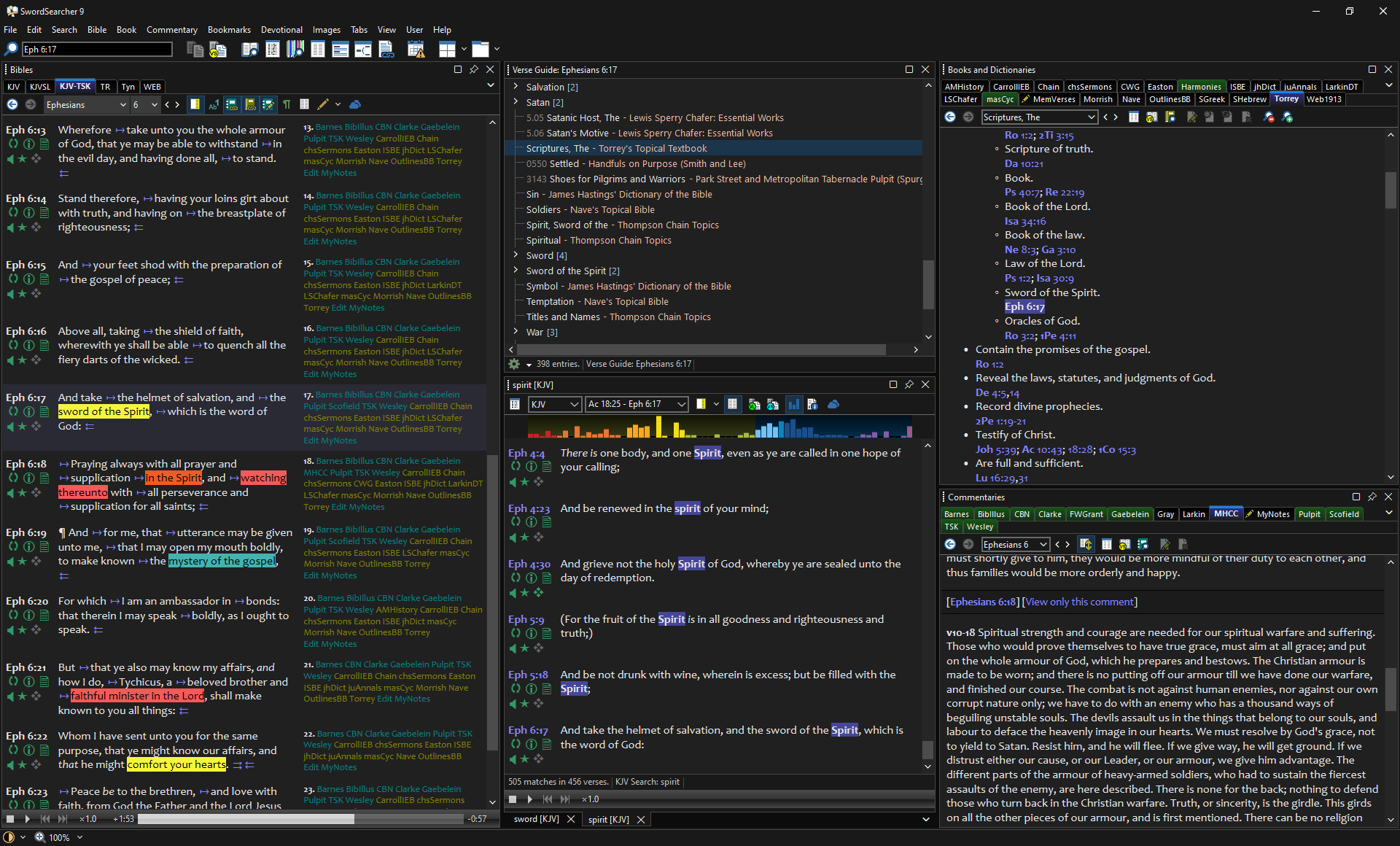
The most obvious change in this release is the addition of a dark mode interface.
SwordSearcher 9 running in Dark Mode
This has been a long-standing request from SwordSearcher users. I had started and then stopped development on the dark mode interface several times over the last decade.
The truth is, getting it right is hard. SwordSearcher is what some people might call a legacy application. It’s not abandoned or irrelevant, but it’s roots go deep, back over 20 years into Windows. There are literally hundreds of places that are affected by something like changing the interface color. I couldn’t just flip some magical switch and “make it dark.” SwordSearcher has dozens of customizable colors and hundreds of places where color matters. There are dozens of controls that I have purchased over the years that assume various things about how buttons and frames and backgrounds are drawn, and those things have to be fixed. And then there are things like user-supplied library texts that have hard-coded text colors that suddenly become invisible with a dark background, highlighting colors that can cause the same issue with light colored text, and then what happens when the user sets his preferred colors in dark mode and switches to light mode… and the list goes on.
And quite a list it was.
But in the end, the work was worth it.
Dark mode is not for everybody. But it is for a lot of us.
Over the last several years I have had to deal with migraines which are exacerbated by extended screen time. But I found that switching applications over to dark interfaces actually helped. Not all applications support this, and SwordSearcher didn’t, but I found that changing my text editor and programming IDE to use a dark interface made a big improvement in my eyestrain and reduced the frequency and intensity of my migraines.
So I decided that the dark mode interface would become my top priority and get done right.
By “done right” I mean: not just “white text on a black background.” Extreme contrast in dark modes is pretty harsh and, for me, even worse than a bright interface. A lot of time was spent tweaking colors to arrive at a good interface and a set of default text/background colors I was delighted to use myself. (Of course, you are free to change these colors in SwordSearcher to something that you are delighted to use.)
And finally, when working Saturday night to finish preparing a Bible lesson for the next day, I didn’t feel like I was pushing my eyes too hard and rushing to get finished.
This was one of the “bigger” updates I have worked on for SwordSearcher in the last several years and part of the reason for the major version number jump to 9.
(Unlike other software company marketing people, I know what number comes after 8.)
The other main reason is that Windows is about to get it’s first major version number update in several years. And though Microsoft is very good about not breaking software in their OS updates, there were some needful changes to be made in SwordSearcher to accommodate some of the changes to how controls are drawn in Windows 11. That’s done, and SwordSearcher runs and looks great in Windows 11.
A few days ago, Amazon sent me an email notifying me that I cannot resupply them with copies of SwordSearcher, because they need to devote incoming shipment processing to household goods and other essentials.
Literally days before California’s governor ordered all non-essential work in the state to be suspended, six boxes of SwordSearcher 8.4 discs and packaging were shipped out of the manufacturing facility in Santa Ana. They’ve arrived safely in Oklahoma, so I am now prepared to announce the new version (see below). Since I work out of my home, there’s no reason I can’t fulfill orders.
I suppose if the boxes had been held up for an indefinite period of time, I would have done a digital-only release of 8.4. But there are still people buying SwordSearcher who don’t have an internet connection good enough to download over a gigabyte of installation bits. So, I am thankful that I was able to get the product in time.
My heart goes out to business and workers that can’t function exclusively from homes. As convenient as technology has made working from home for so many, it is impossible to have an economy based entirely on people working out of their homes.
Anyway, this is supposed to be an announcement for the new release of SwordSearcher 8.4. I had planned to do this tomorrow, and will likely still hold off on sending an announcement email until then, but everything is ready now. So here we are.
In 1994, just after I got married, I started working on a DOS program for doing Bible searches. Yesterday, I released version 8.3 of this same program.
Of course, the original code I wrote in 1994 isn’t actually being used any more, but what originally was known as Bible Assistant was consistently re-worked and improved to eventually become the mature application today known as SwordSearcher.
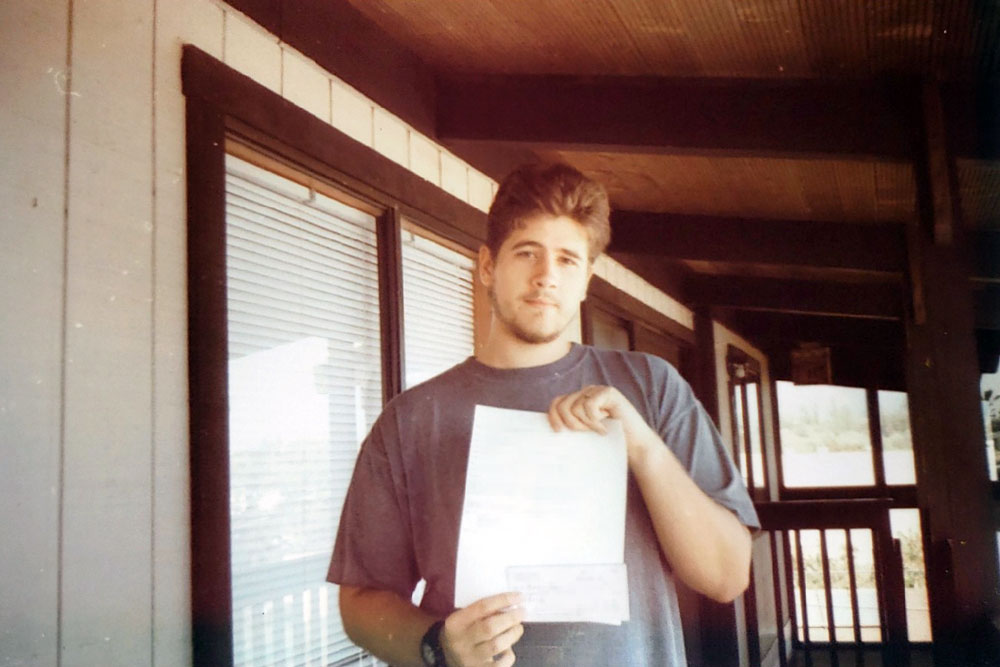
Here’s a picture of me holding up the very first order form I ever received for my Bible software.
Me, holding the very first order for my Bible software.
The order form is dated December 26, 1994. (I’m outside in a short sleeve shirt because I was living in Hawaii.)
At the time this photo was taken, my “real job” was digging ditches and working on septic systems. I didn’t know it back then, but my real job was really writing Bible software.
It took me another seven years to get to the point where I would no longer need to hold down side-jobs to pay the bills. In the early 2000s, I quit my job at RadioShack, where I helped customers find batteries and resistors for five years.
Since then I have spent most of the working hours of my days developing my own Bible software and working as an independent contractor on other people’s projects.
It only dawned on me last night, as I wrote up an announcement for version 8.3 of SwordSearcher, that I had been doing this for 25 years. What tremendous grace of God I have been shown – to be able to work on technology for studying the Bible for nearly my entire adult life!